When your Beats Studio Pro won’t turn on, it’s natural to assume the headphones have failed, but a completely unresponsive pair is very often something simpler. A drained battery, a worn cable, a weak charger, or a frozen software state can all make Beats Studio Pro look dead when nothing is permanently wrong. Because the problem has several possible causes, the fastest way to solve it is to work through them in order from the cheapest and most common to the least likely. This guide does exactly that, including the official reset method Apple documents for Studio Pro, so you know when to keep troubleshooting and when to contact support.
Beats Studio Pro Won’t Turn On? Charge It Properly First
The most common reason Beats Studio Pro won’t turn on is a battery that’s completely empty. Apple says a full charge takes about two hours, and a deeply drained battery can take several minutes before it shows any sign of life at all. Connect the headphones to a wall adapter rather than a laptop port, then leave them alone for at least twenty to thirty minutes before judging the result. Many people give up after a minute or two, which simply isn’t long enough, and that’s why this step solves so many cases on its own. For the manufacturer’s own instructions, see Use Beats Studio Pro on Apple Support.
Try a Different Cable and Power Adapter
Beats Studio Pro charges over USB-C, and a damaged or low-quality cable is one of the most frequent hidden causes when Beats Studio Pro won’t turn on. Test the same cable with another device to confirm it still charges, then try a different certified cable and a different wall adapter or outlet with the headphones. Laptop ports and some power banks deliver weak or inconsistent power, which may not be enough to revive a drained battery. Changing only one variable at a time shows you quickly where the problem actually sits. Changing one variable at a time is the quickest way to find out why Beats Studio Pro won’t turn on.
Beats Studio Pro Won’t Turn On? Check the Port and Buttons for Damage
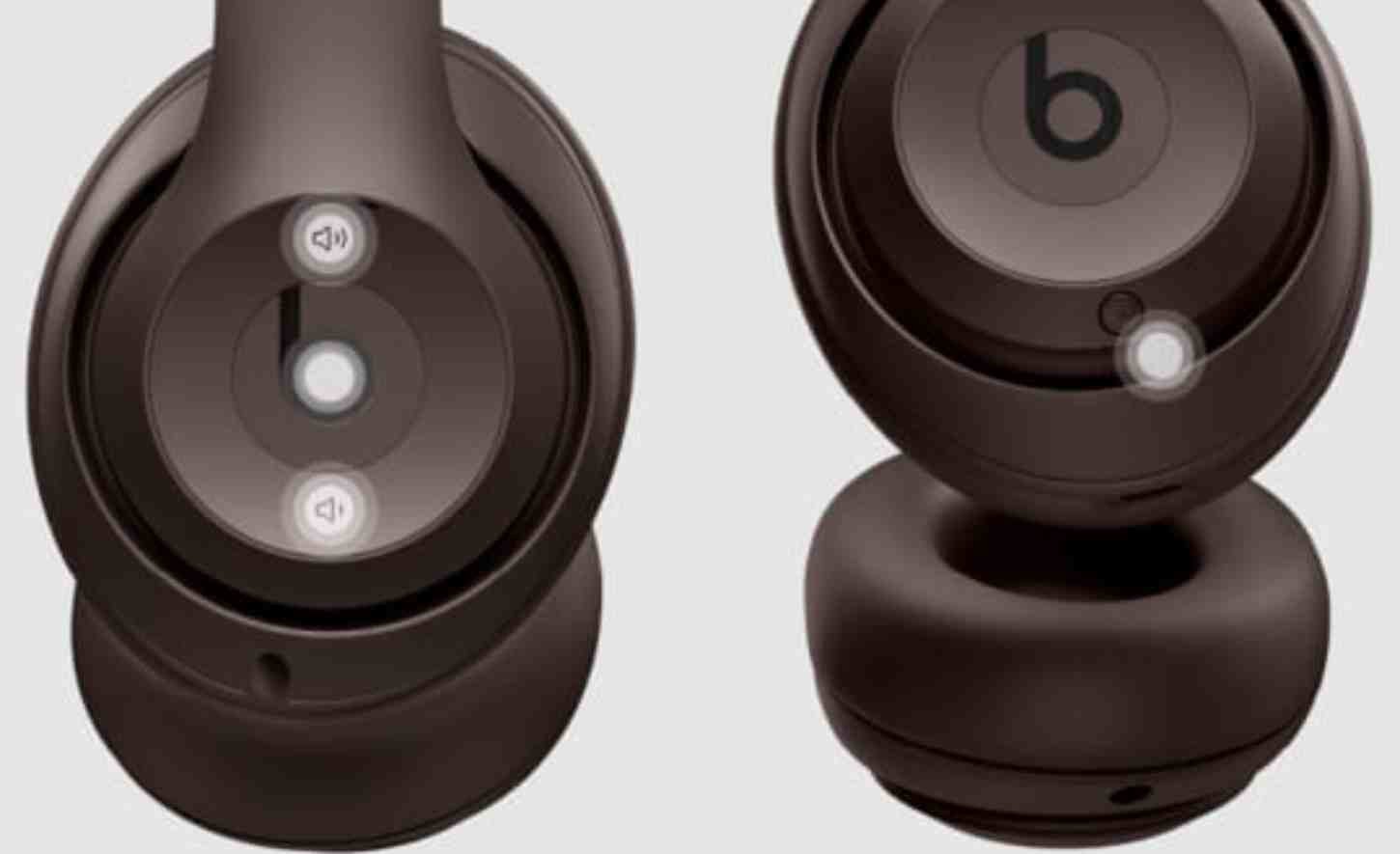
Take a close look at the USB-C port and the buttons on the right earcup under good light. Lint and pocket debris can sit inside a charging port and stop the cable from seating fully, which makes the headphones look as though they aren’t charging. A stuck or dirty button can also prevent the headphones from responding when you press it. Clean the port gently with a dry, soft brush and never use metal objects, because bent contacts turn a simple cleaning job into a real repair.
Reset the Headphones Using the System Button
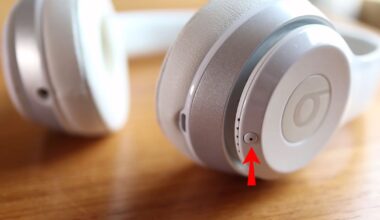
If charging doesn’t help, a reset is the next step when Beats Studio Pro won’t turn on, and Apple documents a specific method for this model. On the right earcup, press and hold the system button for ten seconds, then release it. Apple says all five lights flash white, then one light flashes red, and that sequence happens three times. After the reset completes, Beats Studio Pro turns on automatically. Do this with the headphones connected to a charger if you can, since a very low battery can interfere with the process.
Consider Whether a Recent Update or Pairing Change Triggered the Problem
If the headphones stopped responding right after a software update or after you changed devices, a temporary software glitch is the likeliest explanation. In that case, connect the headphones to a charger, wait several minutes, and then try the reset described above. Once the headphones turn on again, you’ll need to pair them with your devices as new, and it’s worth confirming that your phone’s software is up to date, because Apple recommends that before troubleshooting any sound or pairing problem. A fresh start usually settles things. That timing is a useful clue whenever Beats Studio Pro won’t turn on right after a change.
Rule Out Heat, Cold, and Moisture
Lithium-ion batteries protect themselves in extreme temperatures, and headphones left in a freezing car or a hot bag can refuse to start or charge until they return to normal. If Beats Studio Pro won’t turn on after exposure like that, bring them to room temperature before trying again. Moisture is another possible cause, because these headphones aren’t designed to be waterproof. If they’ve been exposed to liquid, let them dry completely in a well-ventilated place before charging, and don’t connect a wet port to power.
When Beats Studio Pro Won’t Turn On After Every Fix, Contact Support
If you’ve charged the headphones for a full thirty minutes using a cable and adapter you’ve confirmed work, cleaned the port, and completed the official reset, and Beats Studio Pro won’t turn on with no light response at all, the likeliest cause is an internal hardware or battery fault. At that stage, check your warranty status using the serial number and contact Apple Support. Tell them exactly what you tried, because that lets them skip the basics and move directly toward a repair or replacement.
Build Habits That Prevent a Repeat
Once your headphones are working again, a few habits make this problem much less likely to return. Avoid draining the battery completely before charging, store the headphones at a moderate room temperature, and replace worn cables before they fail. If you rely on a particular cable every day, keep a spare so you can test quickly whenever something seems wrong. Small habits like these cost almost nothing and mean a future dead-headphone scare is far more likely to be resolved in minutes.
FREQUENTLY ASKED QUESTIONS
How long should I charge when my Beats Studio Pro won’t turn on at all?
Give the headphones at least twenty to thirty minutes of uninterrupted charging on a wall adapter before trying again. Apple says a full charge takes about two hours, and a deeply drained battery can take several minutes to show any response, so checking too early is a common reason people assume failure.
Will a reset erase my settings if my Beats Studio Pro won’t turn on?
A reset clears pairing and connection data, so you’ll need to pair the headphones with your devices again afterward. Settings stored through your phone or the Beats app are not lost, and the process doesn’t harm the headphones, so it’s a safe step to try when nothing else works.
What do the lights mean during the Studio Pro reset?
Apple describes the reset sequence as all five lights flashing white, then one light flashing red, repeated three times. After that, the headphones turn on automatically. Seeing this pattern is a good sign that the reset registered, so you can release the button and start pairing again.
Can a laptop USB port revive a Beats Studio Pro that won’t turn on?
Sometimes, but laptop ports and some power banks provide weak or inconsistent power, which may not be enough to revive a deeply drained battery. A proper wall adapter is more reliable, so use one whenever you’re troubleshooting a pair of headphones that seem completely dead.
Is it normal for a drained Studio Pro to show nothing for several minutes?
Yes, lithium-ion batteries are designed to delay power draw until they reach a safe level of charge, so a deeply drained pair can sit silent for a few minutes after you connect a charger. That delay alone isn’t a sign the headphones are faulty.
When should I contact Apple Support if my Beats Studio Pro won’t turn on?
Contact support when you’ve charged for a full thirty minutes with a verified cable and adapter, cleaned the port, completed the official reset, and still see no light response. At that point the problem is likely internal, and your warranty status may determine what repair options are available.
Could the system button itself be the reason my Beats Studio Pro won’t turn on?
It’s possible if the button is stuck, dirty, or damaged, since the system button on the right earcup is what you use to power on and reset the headphones. Inspect it for debris, press it gently a few times, and mention it to support if the button feels loose or unresponsive.
CONCLUSION
A Beats Studio Pro that won’t turn on is usually a charging, cable, or software problem rather than a dead pair of headphones. Charge them properly with a wall adapter, swap the cable, check the port and button, and use Apple’s ten-second system button reset on the right earcup. If Beats Studio Pro won’t turn on after all of that, it’s time to check your warranty and contact Apple Support. You may also find these guides helpful: How To Charge Beats Headphones and How to Maximize Battery Life on Beats Headphones.
Related: How to Pair Beats Studio Pro